Pomodoro.in vs TomatoTimer: Workspace or Countdown?
By Pomodoro.in · Reviewed
Disclosure: Pomodoro.in publishes this comparison and is one of the products discussed. Recommendations depend on your workflow.
These tools suit different amounts of structure. Choose a timer that gives you the context you need while leaving enough room for the work itself.
The short answer
Choose Pomodoro.in if you want tasks and local records around the timer. Choose TomatoTimer if a small countdown and alert are enough and your planning already happens elsewhere.
Features side by side
Available means the capability exists; check the detail for tier limits. Not verified means unknown, not missing. Sources and review scope follow the table.
| Decision factor | Pomodoro.in | TomatoTimer |
|---|---|---|
| Free access | AvailableFree; no premium tierReviewed implementation | AvailablePublic browser timerOfficial documentation |
| Account requirements | AvailableNo account for timer, tasks or historyReviewed implementation | AvailableNo login shown for timerBrowser observation |
| Custom intervals | AvailableAdjust focus and break durationsBrowser observation | AvailableCustom focus and breaksOfficial documentation |
| Task management | AvailableLocal tasks, categories and prioritiesReviewed implementation | Not verifiedA task manager was not establishedOfficial documentation |
| Focus history & reports | AvailableLocal session history and focus dashboardReviewed implementation | Not verifiedLog exists; long-term reporting not verifiedOfficial documentation |
| Audio | AvailableBundled focus loops and ambient soundsReviewed implementation | AvailableAlert tones and volume; background music not establishedOfficial documentation |
| Appearance | AvailableWallpapers and glass appearance controlsReviewed implementation | Not verifiedTheme customization not establishedOfficial documentation |
| Platforms | AvailableWeb. Desktop source supports macOS, Windows and Linux. Installer availability and distribution signing must be verified for each release; source support does not establish a published installer.Reviewed implementation | AvailableBrowser timerOfficial documentation |
| Offline behavior | AvailableThe loaded timer and local records can work without a connection. Reloading the website, visiting uncached pages or loading audio and images may require internet access. The website does not guarantee offline reloads.Reviewed implementation | Not verifiedNot verified in this reviewOfficial documentation |
| Data storage | AvailableTasks, settings and focus history are stored on your device. Usage analytics are enabled by default and can be disabled in Settings. There is no automatic cloud sync; clearing browser storage can remove local records.Reviewed implementation | Not verifiedFAQ references local storage; retention not auditedOfficial documentation |
| Cross-device sync | UnavailableNo automatic cloud sync; local backups are separateReviewed implementation | Not verifiedNot verified in this reviewOfficial documentation |
| Advanced features | AvailableXP and distraction logging; no app blocker or Todoist integrationReviewed implementation | AvailableKeyboard shortcuts and notification controlsOfficial documentation |
Choose each product when
Choose Pomodoro.in for a no-account timer with local tasks and focus history
Keep your next task and timer together without creating an account. Customize the workspace and use local records to review your sessions.
Keep in mind: Local records do not automatically follow you to another device. Back up important history; clearing browser storage can remove it.
Choose TomatoTimer for a straightforward clock with keyboard shortcuts
A small interface can make starting easier. Choose it when a clock and an alert are sufficient for your workflow.
Keep in mind: Do not treat a basic daily log as a replacement for a task manager or long-term analytics. Test what is recorded before relying on it.
How much context do you need?
If you finish a session and immediately wonder what it was spent on, linking tasks and keeping history may be useful. If you already record work elsewhere, entering the same information into a timer adds overhead. Match the tool to that existing habit.
A log is not automatically a report
TomatoTimer includes a Log control, but this review did not establish long-term retention or cross-device reporting. Pomodoro.in has local history in its reviewed implementation; that is also not a cloud backup. Save important records before changing browsers or clearing storage.
Start with the same interval
Run the same focus duration on the same task in both tools. Compare the clarity of the controls and whether the alert reaches you during ordinary work. Do not infer reliability in every browser from one successful session.
Local history and usage analytics
Tasks, settings and focus history are stored on your device. Usage analytics are enabled by default and can be disabled in Settings. There is no automatic cloud sync; clearing browser storage can remove local records. Read the privacy policy.
Sources & review scope
Reviewed on . We distinguish browser observations, official documentation and the reviewed Pomodoro.in implementation. We did not purchase subscriptions or test every native platform. Prices and limits can change.
Pomodoro.in product facts were synchronized with the implementation on . This update does not represent a new review of competitor products. Read our editorial policy.
Pomodoro.in privacy & data policy
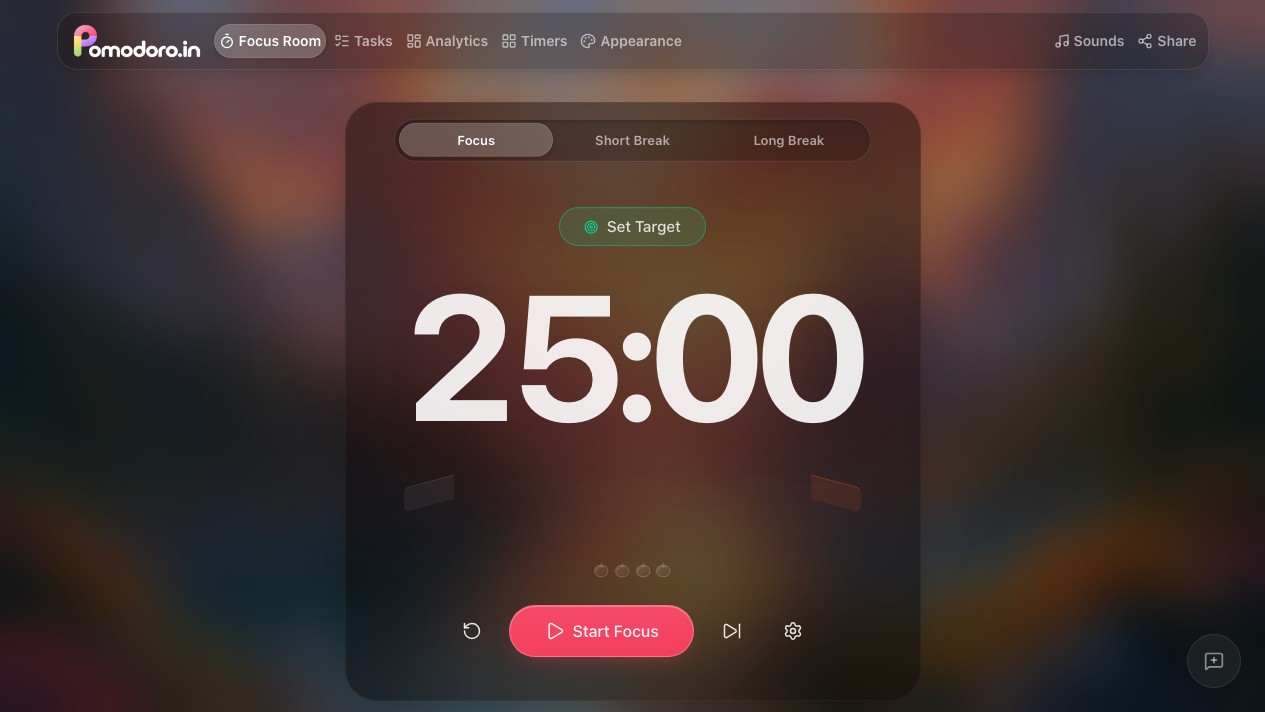
The public browser timer was started and paused, and duration settings were inspected. Task persistence, session history, focus audio and offline continuation are checked in the local release tests. The public deployment may be an older version.
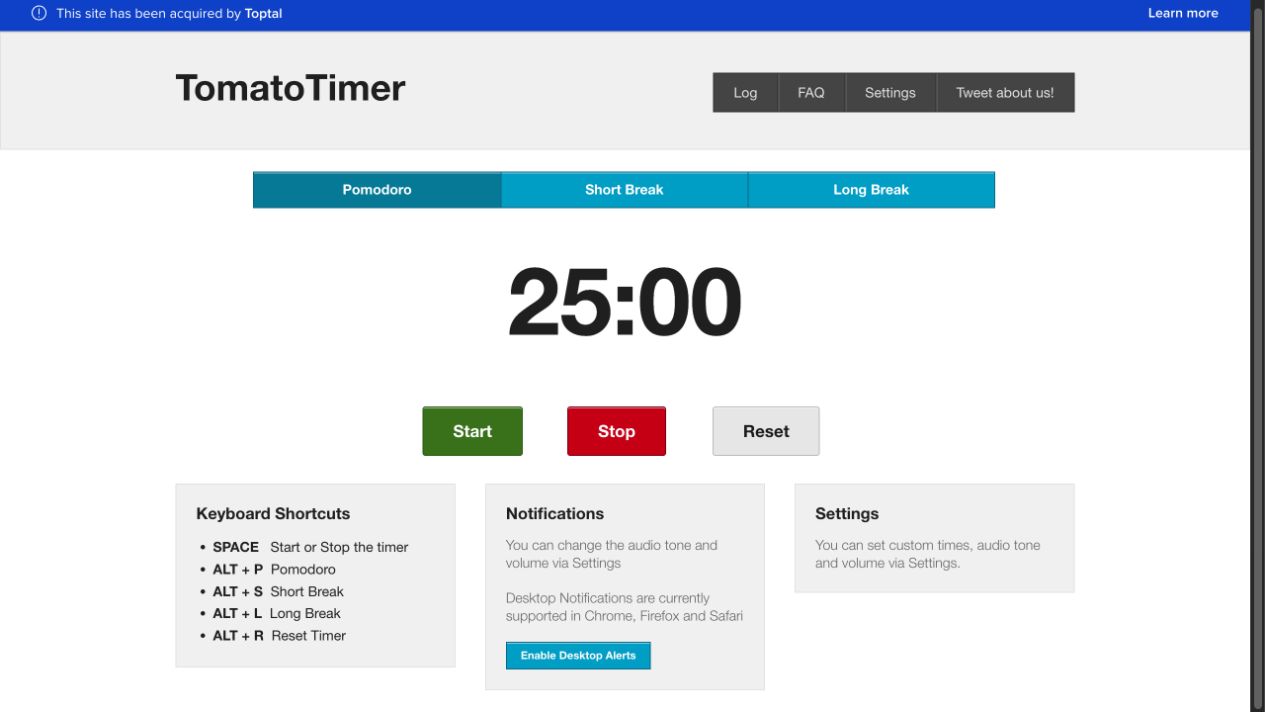
Toptal TomatoTimer controls & FAQ
The browser Start and Stop controls were exercised and Settings exposed custom intervals and alert controls. Log was inspected. Long-term retention, multi-device history and offline reload behavior were not established.
Continue comparing
Try one session before switching
Pick one task, use a comfortable interval and see whether this workflow suits you. Keep your previous records accessible while you evaluate it.
Try a 25-minute session